 Owlect
Settings & Owlect Plus
Customize your experience and learn about Owlect Plus.
Last updated
Settings
You can customize Owlect to fit your preferences. Open Settings from the menu (owlect.app/app/settings) to find these options:
Language
Owlect is available in:
Owlect picks your language automatically based on your browser, but you can change it anytime in Settings.
Theme
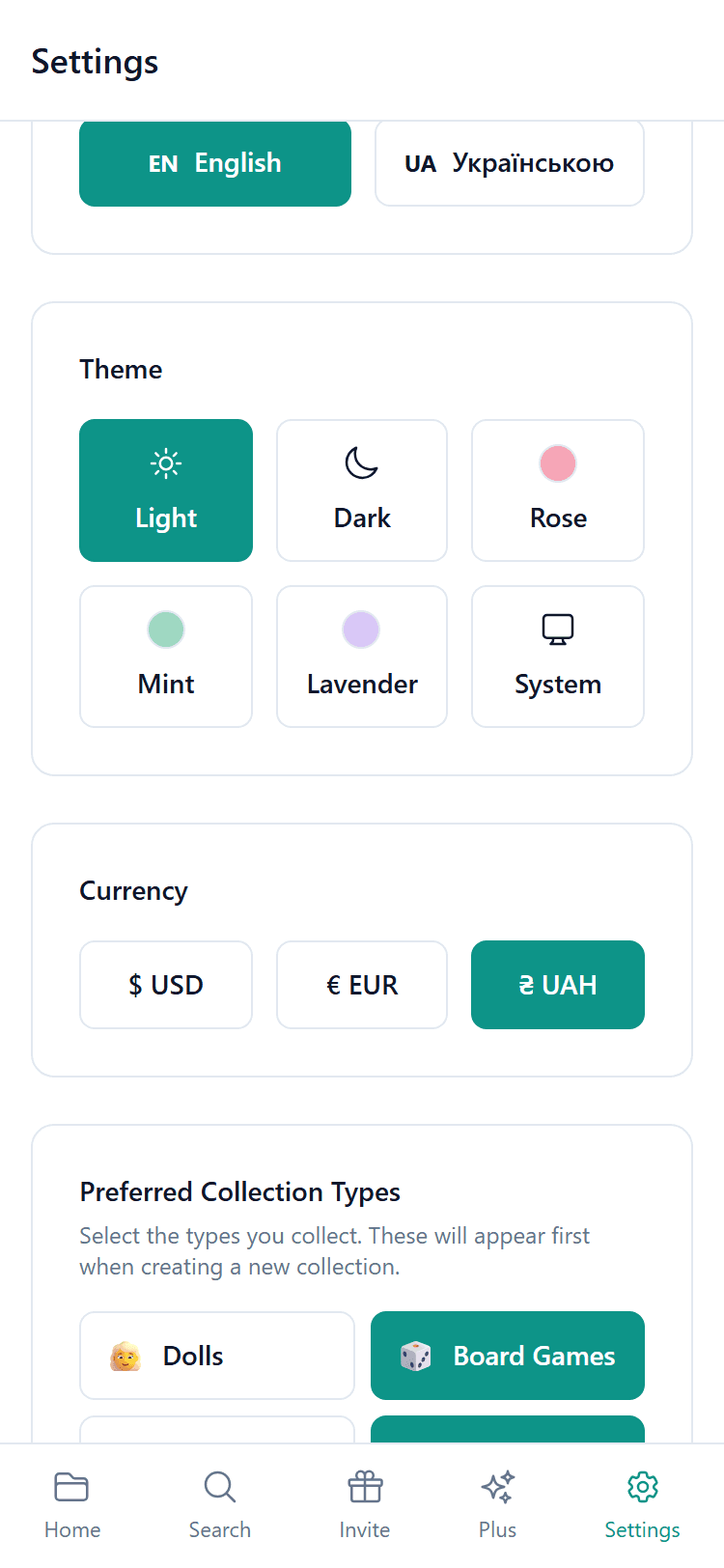
Pick a look that you like:
Currency
Choose your preferred currency for price fields. Available options include USD, EUR, UAH, and more.
API Keys
Some collection types use online databases to find information about your items. These databases are free but sometimes require a personal key. You can add your own keys in Settings if needed.
This is optional — Owlect works fine without them for most users.
Item Limits
Free accounts can store up to 100 items in total across all their collections. Want more? There are two ways:
Invite friends (free!)
Invite friends and earn more items for free. Learn more in the Referral Program article.
Owlect Plus
Owlect Plus gives you more space and full control:
Owlect Plus starts at $2.50/mo (billed yearly) or $3/mo. You can cancel anytime. See Pricing for details.
Upgrade or manage your subscription
Everything about your plan is on the Plus page in the app menu (owlect.app/app/pricing):