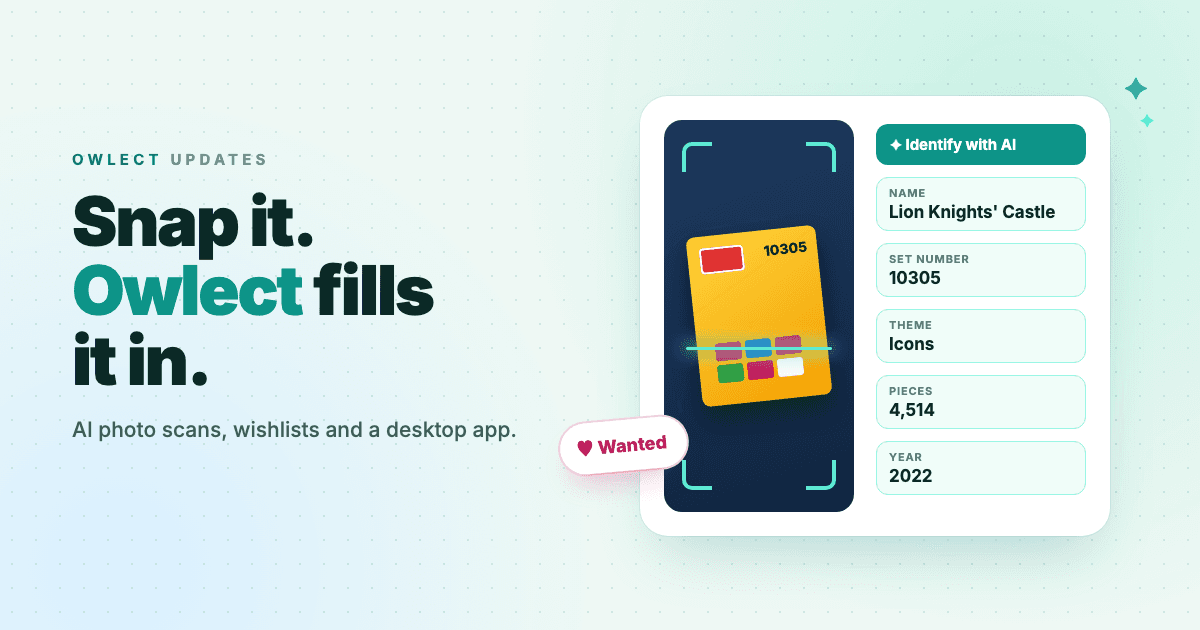
Identify Items From a Photo
Typing in a new item is the slow part of cataloguing. Now you can photograph it instead.
Identify with AI - add a photo of the box, cover or label on a new item and tap the button in the photo box. Owlect fills in the name and any fields that are still empty, and you check them before saving.One photo, two jobs - the photo you scanned stays on as the item's cover, so there is no second shot to take.On every plan - Free includes 3 AI scans a day, Plus 10 and Pro 20, with a monthly cap of 10 times the daily number.Scan credits when you need more - one-time packs of 50, 250 or 1,000 scans for $2.99, $9.99 or $29.99, on any plan. Credits never expire and are used only once your included scans run out.Your plan at a glance - the Plan page shows your items, collections and AI scans as progress bars, with your credit balance next to them.A Whole Shelf in One Photo
From a photo - on a collection's Import page, photograph a shelf, a box or a pile. Owlect lists up to 20 items it can see.You decide what goes in - review the list, untick anything that is wrong, and add the rest in one go.3 scans per photo - paid from your included scans or from credits, never a mix of both.Wishlists and Set Completion
Every collection has a list of things you are still hunting for. Now it can live next to the things you own.
Owned or Wanted - any item in any collection type can be marked Wanted. It gets a Wanted badge everywhere, your public pages included.Mark as owned in one tap - found it? Open the item and switch it over. Your followers see it as a new addition.Filter by ownership - All, Owned or Wanted, on your dashboard and on public collection pages.Honest stats - Stats count only what you own, and show how many items you want beside that.Your BGG wishlist comes along - board game sync brings in Wishlist, Want to buy and Want in trade games as Wanted.Set completion for more types - Hot Wheels, comics and Funko Pop by series, and LEGO by theme, with an optional total for each group. The Pokémon card grid now shows wanted cards in their own slot.Owlect on Your Desktop
Mac, Windows and Linux - download Owlect from owlect.app/download and keep your collections in their own window, with a dock or taskbar icon.Same account, same data - sign in with your browser once and everything is there. Nothing to sync, nothing to migrate.Barcode scanning at your desk - scan from your webcam, or plug in a USB barcode scanner and scan straight into the form.Always current - new features reach the desktop app the moment they reach the website.Also New
BGG rating on board game items - games synced from BoardGameGeek show their community score on the item page, with a link to the game's BGG page.Collector guides - full Pokémon set card lists, LEGO set roundups and more at owlect.app/guides, in all three languages, each with a note on how to track it in Owlect.Ready to organize your collection?
Free forever for your first three collections. No credit card, no ads.
Create a collection Owlect